
YOUR AVAA.
YOUR SPACE.
IN CONTROL.
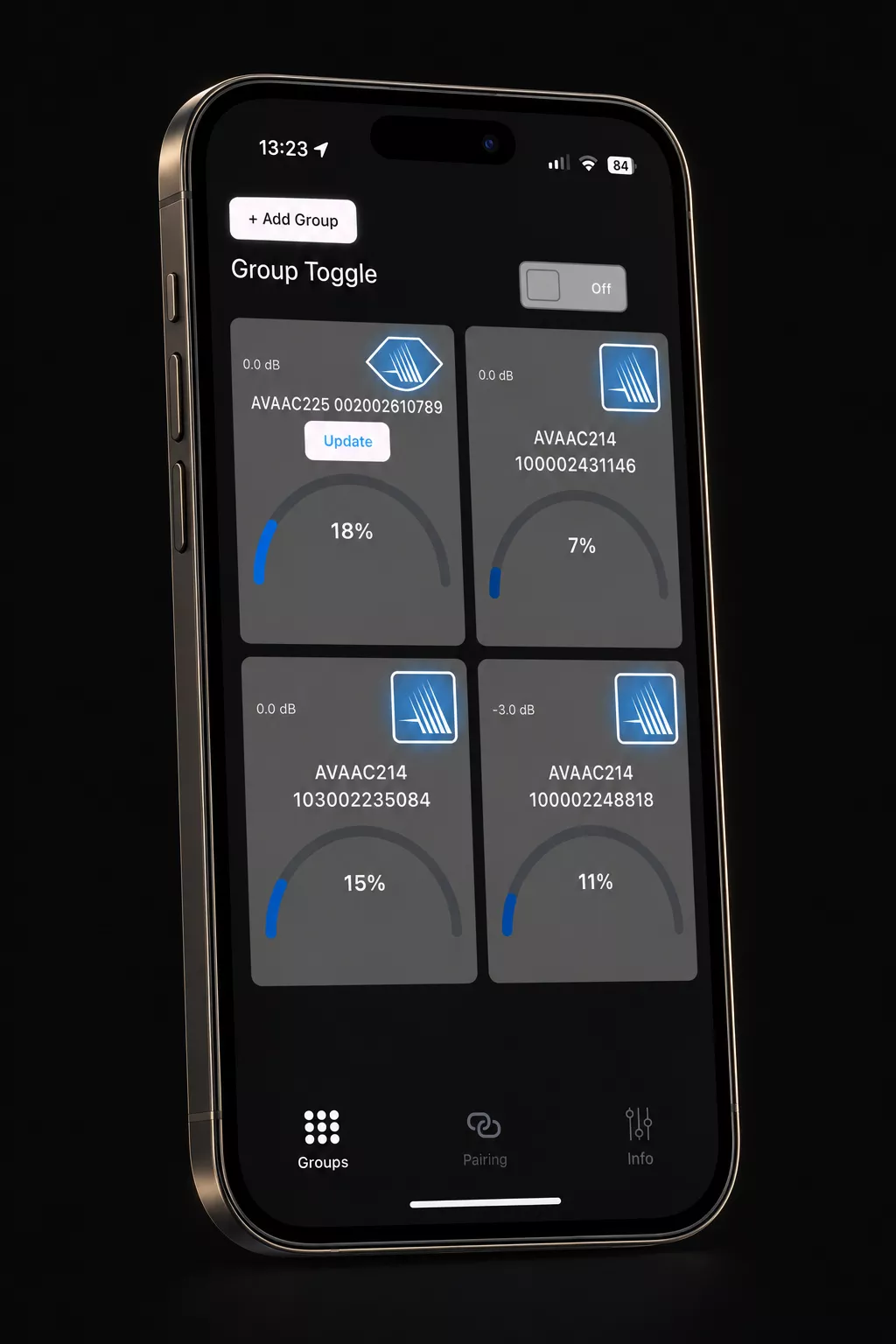
Meet AVAA Controller. Control your AVAA C214 and C225
from one app, and find everything you need to get
started right here.
A CLOSER CONNECTION.
TO YOUR AVAA.
Your everyday controls, brought together.
Proposed feature groups – details to confirm.
Control from your phone
Access your AVAA controls through a dedicated app. Exact controls to be documented.
Find your settings
A clear home for available device settings. Model-specific options to be confirmed.
Get help along the way
Pairing guidance, video tutorials and answers to your most common questions on this page.
AVAA C214
✓ AVAA Controller
AVAA C225
✓ AVAA Controller
Minimum iOS 15.0 / Mac OS 12.0 / Android versions and device firmware requirements: to be confirmed.
GETTING STARTED
GET CONNECTED.
STEP BY STEP.
Setup guide draft – exact pairing procedure and visuals to be validated before publication.
START WITH THE ESSENTIALS.
Have your AVAA C214 or C225 and your phone ready. This step will list the supported OS versions, connection requirements and permissions.
Planned visual: a short checklist with the official app download links.
PREPARE YOUR AVAA FOR PAIRING.
This step will show the exact model-specific action needed to enter pairing mode, including indicator behaviour. The procedure must be supplied and validated for C214 and C225.
Planned visual: an annotated C214 / C225 photo or a short close-up video.
FIND YOUR AVAA IN THE APP.
This step will show the real app screens, the permissions to accept and how to select your AVAA. Connection method and labels to be confirmed.
Planned visual: annotated screen recording of the actual connection process.
YOU’RE CONNECTED.
This step will explain how to recognise a successful connection and verify control. The confirmation screen and checks will be validated with the product team.
Planned visual: the actual connected-device screen and a troubleshooting link.
WATCH. CONNECT.
TAKE CONTROL.
Short, practical video tutorials.
Spaces reserved for your YouTube videos.
Connect your first AVAA
A walkthrough of the pairing process.
Explore AVAA Controller
Get to know the app and its controls.
Connection troubleshooting
What to check when setup gets stuck.
HELP, WITHOUT THE GUESSWORK
YOUR APP.
YOUR QUESTIONS.
From your first connection to everyday use, start here.
FAQ draft. Answers marked as editorial placeholders require validation before publication.
COMPATIBILITY & DOWNLOADS
PAIRING & CONNECTION
EVERYDAY USE & UPDATES
Still need help? Contact PSI Audio →
APP UPDATES
THE LATEST.
AND WHAT CAME BEFORE.
Release notes for each platform. Version numbers, dates and changes to be supplied.
iOS · Latest release
2026 – OCTOBER – 5
What’s new
Version 1.5.0.5
- Introduction of the Absorption Meter
- LED dimming.
- Wifi stability improvement.
Previous releases
Historique des versions à compléter.
Android · Latest release
2026 – OCTOBER – 5
What’s new
Version 26.60
- Introduction of the Absorption Meter.
- LED dimming.
- Wifi stability improvement.
Previous releases
Historique des versions à compléter.
YOUR AVAA.
AT YOUR FINGERTIPS.
Get the app for your AVAA C214 or C225.
App Store and Google Play links to be added before publication.