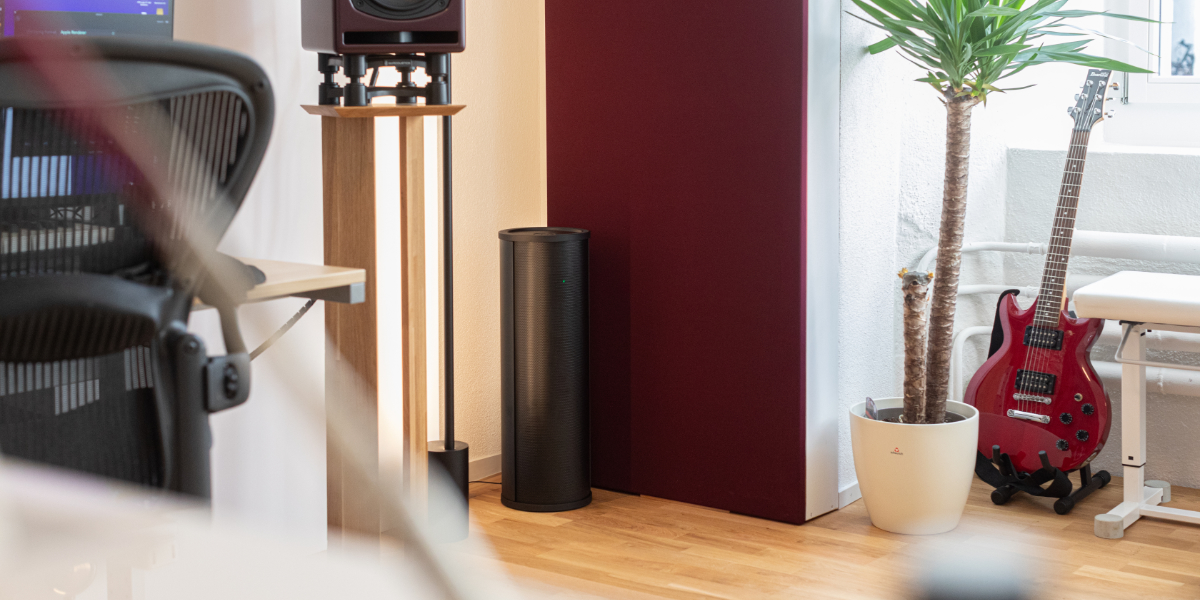
YOUR ROOM.
EXPLORE THE DIFFERENCE.
Explore how AVAA placement can help low-frequency resonances fade faster.
01 YOUR ROOM
How should I choose?
Start with Medium wall, then compare Soft and Hard to explore the effect of wall reflectivity. These are simplified presets, not a measurement of your materials. One setting applies to all six surfaces.
Advanced settings
A logarithmic control: values near 0 represent highly reflective walls; values near 1 represent high absorption. Dimensions: 1–100 m per axis.
02 YOUR AVAA
Select positions on the room plan to add or remove units.
Choose positions by name
ROOM PLAN
Top viewSpeakers and listening position are shown for reference only. They do not affect the estimate.
03 EXPLORE THE ESTIMATED EFFECT
Compare how quickly bass resonances decay with and without AVAA.
Theoretical estimate only. Actual results depend on your room. Showing up to 10 room modes between 10 and 150 Hz.
View detailed results
USER GUIDE
How the instant, closed-form estimate works, how to read the results, and what the model can and cannot tell you.
Results update as you change the settings. Calculations run locally, without a server call or a queue.
Read how it works ↓This simplified estimate supports exploration and education. It does not guarantee real-world performance.
Read the full limitations ↓What this tool is
The widget on this page gives an instant, theoretical estimate of how much AVAA active absorbers could shorten a room's low-frequency ringing (RT60), for any room size from 1 m to 100 m per axis. You set a room size and a wall reflectivity, switch on however many AVAA mount points you like (0 to 8), and the tool immediately shows how the room's own resonant frequencies (10–150 Hz) would decay with and without those absorbers — no simulation run, no waiting.
This tool makes active bass absorption’s effect visible and intuitive. Its simplified, closed-form model lets you explore room sizes, wall reflectivity, absorber counts and placement with instant feedback.
The problem it illustrates
Below roughly 200–300 Hz, a room's own dimensions matter as much as what's playing through the speakers. Sound reflects off the walls, ceiling and floor and reinforces itself at specific frequencies — the room's modes. At those frequencies bass rings on long after the source stops, and how long it rings is exactly what RT60 measures.
Crucially, a room mode isn't uniformly loud everywhere: it has quiet points (nodes) and loud points (antinodes) fixed in space. An AVAA unit placed at an antinode of a given mode damps that mode strongly; the same unit at a node of that same mode does almost nothing to it — even though it may be doing a great deal of work on a different mode at a different frequency. This tool's per-mode RT60 estimate exists specifically to make that placement sensitivity visible, rather than collapsing it into one average number.
How the estimate works
This widget runs no wave simulation at all. Everything is closed-form room-acoustics math, computed directly in your browser:
-
1
Room modes
The exact resonant frequencies of an empty rigid box of your chosen size, from the same textbook formula used throughout acoustics — no grid, no time-stepping.
-
2
A decay rate per mode
Each mode's own damping rate is estimated from how much of the room's absorptive boundary — walls plus any active AVAA units — that mode's standing-wave pattern actually overlaps, weighted by the pattern's strength at each absorber's exact position. This is what makes the estimate placement-sensitive rather than a single flat number.
-
3
RT60 from the decay rate
Each mode's decay rate converts directly to an RT60 (time to decay 60 dB) for that mode, computed twice per mode — once with no absorbers active, once with your current selection — so the chart and table below show a direct, frequency- by-frequency comparison.
The classic single-number reverberation-time formulas (Sabine/Eyring) assume a statistically diffuse sound field with many overlapping modes — a good assumption well above what's called the room's Schroeder frequency. At 10–150 Hz in a typical room you're usually below that frequency, where individual modes dominate and a single averaged number would hide exactly the placement effects this tool is meant to show.
Using the tool
Set your room dimensions and wall reflectivity, choose AVAA positions, then explore the results. The following explains each part of the tool:
-
1
Set the room size
Width, depth and height in meters, 1 to 100 on each axis. Very large rooms (tens of meters per side) can take slightly longer to update because finding modes in a dense low-frequency spectrum requires more searching.
-
2
Set wall reflectivity
Under “Advanced settings”, a single absorption-coefficient slider, α, from 0 (perfectly rigid, left end) to 1 (perfect absorption/free air, right end). The advanced settings also display the equivalent acoustic impedance in Pa·s/m. The slider is log-scaled so most of its travel covers the reflective end where real wall materials actually sit; free air is compressed into a small stretch at the right, since it's more of a reference edge case than a real wall. Presets: Free air, Soft wall, Medium wall, Hard wall, or drag to set your own value.
α=0 (rigid)α=1 (free air) -
3
Check the room modes list
Open “View detailed results” to see up to 10 resonant frequencies (10–150 Hz) for your current room size — these are exactly the frequencies shown in the results chart and table below.
-
4
Switch on absorbers
Click mount points on the room diagram, or use “Choose positions by name” — four corners and four wall midpoints, up to 8 total, the same fixed-size (210 mm) AVAA unit at each. The stereo speaker pair and listening position shown in the diagram are a fixed reference triangle, centered on the room — position doesn't affect the estimate (see FAQ).
Results update live — there's no run button, and nothing to wait for.
Reading the results
The RT60 chart
Without AVAA
The untreated room's estimated RT60 at each mode — your baseline.
With AVAA
The same room and modes, with your current AVAA placement active.
One bar pair per room mode: grey (without AVAA) and red (with AVAA). On narrow screens, the pairs are shown horizontally with their values in seconds. A bar reaching the edge of the chart with an ∞ mark means that mode's decay is effectively unbounded within this model (typically a very rigid room with nothing active yet).
The mode table
Open “View detailed results” underneath the chart to see a row per mode: frequency and mode indices, RT60 with no absorbers, RT60 with your current selection, the difference (Δ), and the percentage gain that difference represents relative to the no-absorber value. A dash (–) in the Δ or gain column means one side isn't a finite number to compare against (e.g. the untreated room doesn't meaningfully decay within this model at all).
The summary line
A plain-language readout of which mode benefits most from your current placement, and by how much — useful as a quick headline before reading the full table.
Accuracy & limitations
This tool is provided purely to help you get a fast, rough feel for room modes and how AVAA placement could shorten low-frequency ringing. PSI Audio does not guarantee that the RT60 values shown here will match the real, measured performance of AVAA units in any specific room. It is not a substitute for on-site acoustic measurement, or professional room-acoustic design.
Specifically, the model simplifies reality in several ways:
- Idealized geometry. The room is treated as an empty rectangular box. Furniture, doors, windows, alcoves and people all change real low-frequency behavior.
- One wall material for the whole room. All six surfaces share a single α value — worth remembering if your real room's floor, ceiling and walls differ a lot.
- Each absorber sampled at a single point. An AVAA unit's effect on a given mode is evaluated at its mount position and half its own height, not integrated across its full surface — a good approximation at these wavelengths (2–30+ m, far larger than the ~0.21 m unit), but still an approximation.
- Source and receiver position have no effect on the estimate. RT60 here is a property of the room, its walls, and absorber placement alone — not of where you'd stand or where the speakers face. The stereo triangle in the diagram is shown purely for visual reference.
- Assumes lightly-damped modes. The underlying math is a small-perturbation estimate, most accurate when the room isn't already extremely absorptive. Very high α values (near free air) push toward the edge of where this approximation is most reliable.
Treat every number here as illustrative of a tendency — that a mode exists at roughly this frequency, that absorber count and placement matter, that some modes benefit far more than others — rather than a value you'd quote for your own room. For an assessment of your actual space, consult an acoustics professional or PSI Audio directly.
FAQ
Why can't I move the source or receiver ?
RT60 here depends only on the room's size, its wall reflectivity, and where absorbers are mounted — not on where a speaker or listener sits. The stereo triangle in the diagram is a fixed reference layout, always centered on the room, so the source/receiver controls were removed since they never changed a single number in the results.
Why is the alpha slider log-scaled, and reversed left-to-right?
Real wall materials cluster in a narrow, reflective range (α roughly 0.005–0.2); free air (α≈1) is more of a reference edge case. A log scale gives most of the slider's travel to the range you actually care about. Rigid (α=0) sits on the left and free air (α=1) on the right to match the intuitive reading direction of "more absorption as you move right."
Why do some modes show a dash instead of a percentage gain?
A percentage only makes sense when both the no-absorber and with-absorber RT60 are finite numbers. If the untreated room doesn't meaningfully decay within this model at all, there's no baseline value to compute a percentage against.
Does adding more absorbers always help every mode?
Adding an absorber can never make a mode's estimated RT60 longer — but how much it helps varies enormously by mode, since it depends on whether that unit sits near that mode's loud points (antinodes) or its quiet points (nodes). A placement that barely helps one frequency can be the single best placement for another — that's exactly what the per-mode table is meant to reveal.
Can I use these numbers in a spec or report?
No — treat them as relative, illustrative comparisons, not measured or guaranteed values. See Accuracy & limitations.
Glossary
- Absorption coefficient (α)
- A 0–1 measure of how much sound energy a surface absorbs at normal incidence: 0 = perfectly reflective, 1 = perfectly absorptive (matches air's own impedance). The advanced settings show both this coefficient and the corresponding acoustic impedance in Pa·s/m.
- Specific acoustic impedance (Z0)
- The reference impedance of air itself (≈415 Pa·s/m at typical conditions) — the impedance a perfectly matched (α=1) surface would have.
- Room mode / standing wave
- A frequency at which a room's own dimensions cause sound waves to reinforce themselves, producing fixed loud points (antinodes) and quiet points (nodes) in space.
- Node / antinode
- A node is a point where a given mode's pressure is always near zero; an antinode is where it's strongest. An absorber's effect on a mode depends heavily on which one it sits near.
- RT60
- The time for a mode's sound energy to decay by 60 dB after the source stops — estimated here per mode from a closed-form decay-rate calculation, not measured directly.
- Schroeder frequency
- The rough frequency above which a room's modes overlap densely enough to be treated statistically (a single averaged RT60 becomes meaningful). Below it — typically true across this tool's whole 10–150 Hz range in small/medium rooms — individual modes dominate instead.
- Absorber mount point
- One of eight fixed positions — four corners, four wall midpoints — where a simulated AVAA unit can be switched on.
LET’S TALK ABOUT YOUR ROOM.
Get advice on AVAA placement and your setup.